New Loan (800) 710-7359
Need Assistance (800) 252-6950

Skip-a-Pay

Skip up to two loan payments right now.

Could your budget use a break from your loan payment? As a valued CU1 member, you may be eligible to skip a loan payment, freeing up cash when you need it. You can skip up to two payments per eligible loan each rolling 12 months, with no negative impact on your credit.

Submit a request to skip your next payment on qualifying Credit Union 1 loans through the CU1 Skip-a-Pay1 program. Simply log in to Digital Banking to submit your request in minutes.

Let CU1 give you flexibility for your finances with Skip-a-Pay1.

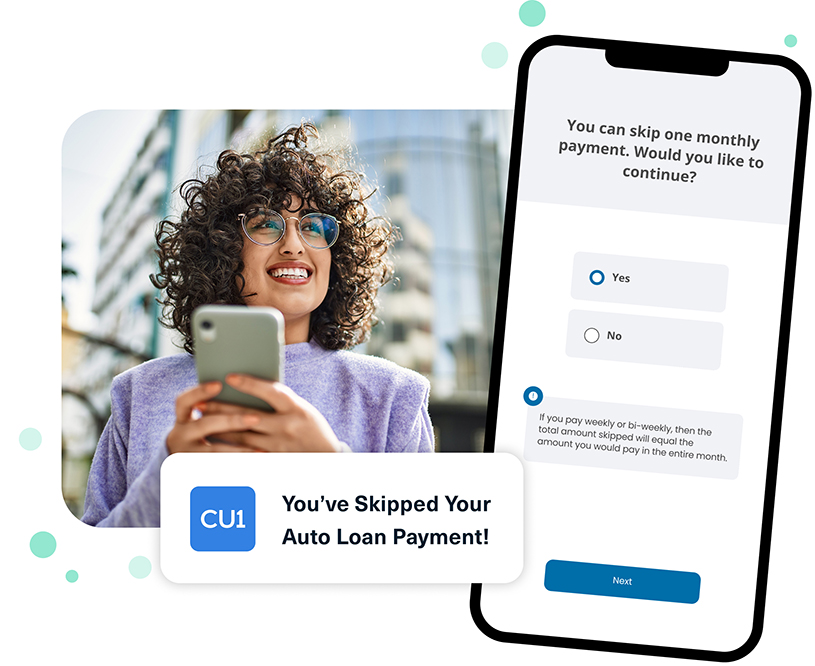
You've Skipped Your Auto Loan Payment!
How does Skip-a-Pay work?

How does Skip-a-Pay work?

With Skip-a-Pay1, you can request to skip up to two payments each rolling 12 months for a qualifying Credit Union 1 loan. Over the lifetime of the loan, you can request up to 10 payment skips. A fee may apply for Skip-a-Pay1, and the amount may vary based on your location. If your Skip-a-Pay1 request requires a fee, you must have funds in your CU1 checking or savings account at the time of the request to cover that fee.

When you skip a loan payment, finance charges will continue to accrue on the unpaid balance of your loan, and the loan maturity date will be extended by one month for each month skipped.


Skip Your Loan Payment in a Few Simple Steps

Step 1

Log in to Digital Banking

Skip-a-Pay1 requests can be submitted directly through Digital Banking. Log in to Credit Union 1 Digital Banking on your computer or through the CU1 mobile app.

Step 2

Select Your Loan

Skip-a-Pay1 is offered for several CU1 loan types, including auto loans and personal loans. In Digital Banking, find the tile for the loan you would like to skip a payment on, tap it and select the Manage My Loan tab.

Step 3

Request Skip-a-Pay

Choose the “Skip-a-Pay” option and follow the screen prompts. After you submit your request, wait for the success message confirming your approval. Once confirmed, you will be able to view your updated loan due date in Digital Banking.

Log in to Digital Banking to Request Skip-a-Pay.

Skip-a-Pay FAQs

  • We encourage you to request your Skip-a-Pay1 before your loan due date to keep your account in the best standing. If you need extra time, you will have up to 29 days after your payment due date to request the skip.

  • If you choose to skip a payment, your next loan payment is due on the following month's due date, as regularly scheduled. For example, if you skip your September loan payment, your October loan payment will be due on the regularly scheduled due date, regardless of when you skip your September payment.

  • If you have set up automatic payments to pay your loan, you are responsible for modifying or canceling the scheduled payment.

  • To request Skip-a-Pay1 on your loan(s), log in to Digital Banking. Click on the loan tile and select the Manage My Loan tab. Choose the “Skip-a-Pay” option and follow the screen prompts.

  • Skipping a loan payment through CU1’s Skip-a-Pay1 program will not have any negative effects on your credit.

  • You are able to skip up to two loan payments per loan per rolling 12 months, with 10 maximum skips over the duration of the loan term.

  • Yes, you are able to skip up to two loan payments per loan per rolling 12 months, with 10 maximum skips over the duration of the loan term. Only one payment can be skipped per request, so you would need to complete a Skip-a-Pay1 request for each loan payment you would like to skip.

  • Loans that are ineligible for Skip-a-Pay1 include: All Real Estate, Commercial/Business, Share/Certificate Secured, Credit Saver, Credit Cards, Overdraft Protection Loans, Balloon-Payment Loans, or any loan originated within the last 6 months. Loans must be in good standing to qualify for Skip-a-Pay1.

  • After you submit your Skip-a-Pay1 request, watch for a success message confirming your approval. You can also log in to Digital Banking any time after your request to view your updated loan due date. Click on the loan tile, then select the Details & Settings tab. Record of the skipped payment will also appear on your monthly statement.

  • If GAP Coverage was elected on your auto loan, you agree to refer to your GAP addendum for specifics regarding coverage of skipped payments. Skip-a-Payments may or may not be covered with your insurance carrier. Multiple skips may reduce potential GAP claim or credit insurance benefits. If you have GAP, a maximum of ten (10) payments may be skipped per loan contract. You agree to keep track of the number of Skip-a-Pay1 requests you have requested and been approved for.

CU1 Cares icon

Credit Union 1 is celebrating 67 years of helping individuals, families and communities reach their financial goals. Learn More

You are leaving Credit Union 1

You are leaving creditunion1.org and entering a website that Credit Union 1 does not control. Credit Union 1 has provided this link for your convenience, but does not endorse and is not responsible for the content, links, privacy policy, or security policy of or the propriety of any information on this website. Do you want to proceed?

Yes No