Business ACH Payments
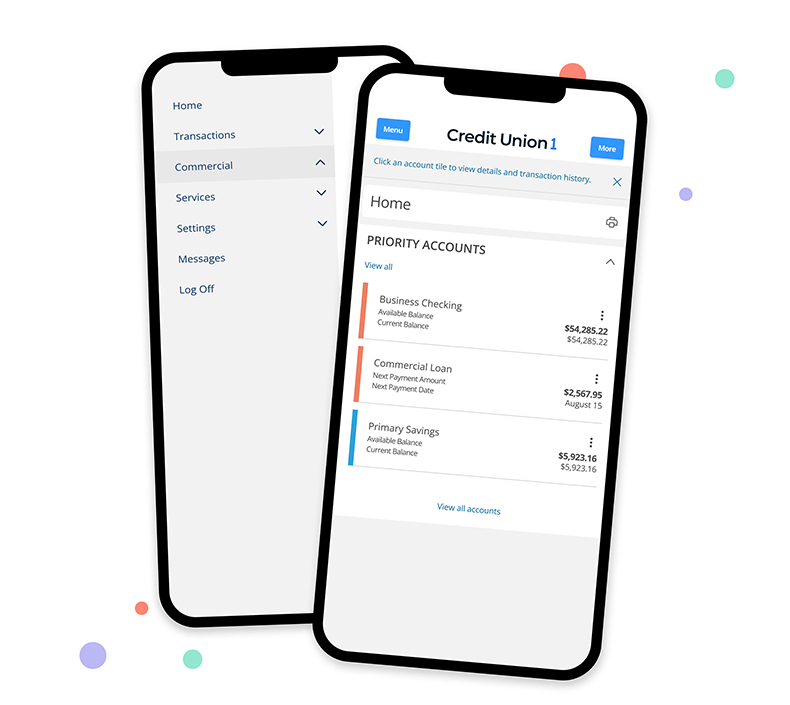
Log In to Digital Banking to set up a one-time or recurring payment. Before sending a payment, wire or ACH, you must build and save recipients and vendors under "recipients."
To get started:
- Locate the "Commercial" drop down. Then click "New Recipient" and enter the recipient's information, then click "Save Recipient". Once you have saved the recipient, you are ready to submit a transaction.
- Click "Commercial" "Payments" "New ACH Payment."
- Use "ACH Collection" to request an ACH payment from another entity.
- You can also choose "Domestic Wire".
- Once you have selected the payment type, the origination and recipient details will appear. The SEC code should always be "PPD-Prearranged Payment and Deposit."
If you have any questions, please reach out to the Business Banking Team.