

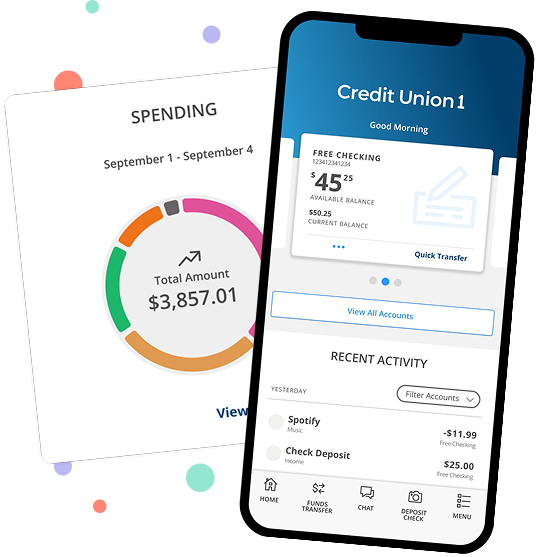

Great River members: Welcome to Credit Union 1! You are now able to log in or start a new registration for Digital Banking. View step-by-step instructions on how to log in or register.

New Loan (800) 710-7359
Need Assistance (800) 252-6950

Back to: Mergers

Updated as of | Merger Completion Tracker: 100%

Welcome to CU1

As a member of Credit Union 1 (CU1), you have access to a wide variety of products and services, and we are pleased to have the opportunity to help you meet your financial goals.

ask questions icon

Have questions about the merger, disclosures or fee schedule? Submit a Question


High-Priority Items

  • Update Account and Routing Number

    If you have any automatic debits or credits to your Great River account, you will need to advise each business of your new Credit Union 1 account number and CU1’s Routing & Transit #: 271188081.

    To find your account number in Digital Banking, log in, select the account tile, and use the number at the top—excluding the last four digits.

  • Update Automatic Payments

    Several types of automatic payments—including internal transfers, recurring payments set up in Digital Banking, and external bill pay—did not carry over with the conversion. You will need to set up these payments again within CU1 Digital Banking.

  • Access Digital Banking

    You are now able to use Credit Union 1 Digital Banking. Learn more about the changes you will experience with CU1 Digital Banking and how to log in for the first time.

  • Enroll in eDocuments to Receive eStatements

    Paper statement fees will be waived through December 31, 2025. If you are not enrolled in eDocuments after this date, you will be charged a $5.00 monthly statement fee. Set up eStatements by enrolling in eDocuments through Digital Banking.

    Follow these step-by-step instructions to learn how to enroll in eDocuments.

  • Verify Payroll

    Every effort was made to ensure payroll deposits and payroll distributions were converted properly. While there was no action required on your part for this transition, we recommend that you verify your payroll deposit and/or payroll distribution through Digital Banking with your first payroll.

CU1 card

Activate your CU1 Debit Card

CU1 debit cards can be easily activated through Digital Banking. Simply log in and navigate to Debit Card Controls under the main Services menu. Or you can call (800) 992-3808 to active in a few simple steps.

card controls icon

Debit Card Notice: Debit Card Controls is available directly in Digital Banking.

alert icon

Auto Loans
If you currently have an Auto Loan, review your insurance policy to ensure it meets Credit Union 1’s Auto Insurance requirements.


Consumer Loans

Members who have a mortgage, home equity loan, or auto loan were converted to a matching or similar product in the CU1 system. The rate and term for each of these products will remain the same as originally contracted for the remaining term of the agreement.

Payment Changes

Several types of automatic payments—including internal transfers, recurring payments set up in Digital Banking, and external bill pay—did not carry over with the conversion. You will need to set up these payments again within CU1 Digital Banking.

If your loan payment was set up as an ACH (or a payment that makes a direct withdrawal from your bank account using your account number and routing number), any existing loan payments will clear. CU1 will do our best to clear transactions that use your Great River account and routing number for up to six months. However, your Great River account and routing number will no longer be valid after six months, and we recommend proactively updating everything to your new CU1 account and routing number as soon as possible to avoid the need for future changes.

View Ways to Pay


Great River Important Credit Card Info

Credit Cards

To manage your Great River credit card, you will use the eZCard portal. If you do not already have an account, you’ll need to create one with new login credentials directly through eZCard. This account is separate and does not use your Digital Banking login.


changes coming soon

Changes Coming Soon

December 31, 2025

  • Savings Only and Inactive Account fees waived until December 31.

March 31, 2026

  • Great Rivers Routing Number will deactivate on March 31.
  • After this date, Great River checks will no longer be accepted. Please order CU1 checks online.


Digital Banking - Spending Analysis

Get the Most Out of Your CU1 Account

Now that the conversion is complete, you can take advantage of the features Credit Union 1 offers to make everyday banking simple and convenient. Learn more about these key features and how you can easily set them up today.

Quicken & QuickBooks Updates

Action Needed: Quicken and QuickBooks Update


The system conversion from Great River FCU to CU1’s system on October 1, 2025, will require that you make changes to your QuickBooks or Quicken software, so please take action to ensure a smooth transition.

On or After October 2, 2025

  • Complete the remaining steps in the conversion instructions listed below. Complete the deactivate/reactivate of your digital banking connection.
  • New Users can get started by clicking here.

Conversion Instructions

Branch Information & Hours


The new Great River branch hours will take effect beginning October 3, 2025.


Niles

1012 S. 11th Street
Niles, MI 49120

Lobby

Monday: 9:00am - 5:00pm

Tuesday: 9:00am - 5:00pm

Wednesday: 10:00am - 5:00pm

Thursday: 9:00am - 5:00pm

Friday: 9:00am - 5:00pm

Saturday: 9:00am - 12:00pm

Sunday: Closed


Sartell

1725 Pine Cone Road S.
Sartell, MN 56377

Lobby

Monday: 9:00am - 5:00pm

Tuesday: 9:00am - 5:00pm

Wednesday: 10:00am - 5:00pm

Thursday: 9:00am - 5:00pm

Friday: 9:00am - 5:00pm

Saturday: 9:00am - 12:00pm

Sunday: Closed


Sauk Centre

214 12th Street S., Suite 2
Sauk Centre, MN 56378

Lobby

Monday: 9:00am - 5:00pm

Tuesday: 9:00am - 5:00pm

Wednesday: 10:00am - 5:00pm

Thursday: 9:00am - 5:00pm

Friday: 9:00am - 5:00pm

Saturday: 9:00am - 12:00pm

Sunday: Closed


Big Lake

18146 198th Avenue
Big Lake, MN 55309

Lobby

Monday: 9:00am - 5:00pm

Tuesday: 9:00am - 5:00pm

Wednesday: 10:00am - 5:00pm

Thursday: 9:00am - 5:00pm

Friday: 9:00am - 5:00pm

Saturday: Closed

Sunday: Closed


Foley

161 Glen Street
Foley, MN 56329

Lobby

Monday: 9:00am - 5:00pm

Tuesday: 9:00am - 5:00pm

Wednesday: 10:00am - 5:00pm

Thursday: 9:00am - 5:00pm

Friday: 9:00am - 5:00pm

Saturday: Closed

Sunday: Closed


St. Cloud

1532 West St. Germain Street
St. Cloud, MN 56301

Lobby
By appointment only.

Drive-Up

Monday: 9:00am - 5:00pm

Tuesday: 9:00am - 5:00pm

Wednesday: 10:00am - 5:00pm

Thursday: 9:00am - 5:00pm

Friday: 9:00am - 5:00pm

Saturday: Closed

Sunday: Closed


Waite Park

206 First Street S.
Waite Park, MN 56387

Lobby

Monday: 9:00am - 5:00pm

Tuesday: 9:00am - 5:00pm

Wednesday: 10:00am - 5:00pm

Thursday: 9:00am - 5:00pm

Friday: 9:00am - 5:00pm

Saturday: Closed

Sunday: Closed

Drive-Up

Monday: 9:00am - 6:00pm

Tuesday: 9:00am - 6:00pm

Wednesday: 10:00am - 6:00pm

Thursday: 9:00am - 6:00pm

Friday: 9:00am - 6:00pm

Saturday: 9:00am - 12:00pm

Sunday: Closed


Sauk Rapids

4 2nd Avenue N.
Sauk Rapids, MN 56379

Lobby

Monday: 9:00am - 5:00pm

Tuesday: 9:00am - 5:00pm

Wednesday: 10:00am - 5:00pm

Thursday: 9:00am - 5:00pm

Friday: 9:00am - 5:00pm

Saturday: 9:00am - 12:00pm

Sunday: Closed

Drive-Up

Monday: 9:00am - 6:00pm

Tuesday: 9:00am - 6:00pm

Wednesday: 10:00am - 6:00pm

Thursday: 9:00am - 6:00pm

Friday: 9:00am - 6:00pm

Saturday: 9:00am - 12:00pm

Sunday: Closed


Minot

2401 N. Broadway
Minot, ND 58703

Lobby

Monday: 9:00am - 5:00pm

Tuesday: 9:00am - 5:00pm

Wednesday: 10:00am - 5:00pm

Thursday: 9:00am - 5:00pm

Friday: 9:00am - 5:00pm

Saturday: Closed

Sunday: Closed

Drive-Up

Monday: 9:00am - 5:00pm

Tuesday: 9:00am - 5:00pm

Wednesday: 10:00am - 5:00pm

Thursday: 9:00am - 5:00pm

Friday: 9:00am - 5:00pm

Saturday: Closed

Sunday: Closed

ATMs icon

Access 90,000 Surcharge-Free ATMs Nationwide. Find an ATM


Merger FAQs for Great River Members

  • We will do our best to clear transactions that use your Great River account and routing number for up to six months; however, we recommend updating everything as soon as possible to your new CU1 information.

  • Yes, your account number changed on October 2, 2025. Be sure to update any external parties—such as your employer (for payroll), service providers (for ACH transactions), or lenders—with your new Credit Union 1 (CU1) routing and account numbers.

    To find your new account number:

    1. Log in to Digital Banking.
    2. Go to the ‘Menu’, then select ‘Services’, followed by ‘Setup Direct Deposits’.
    3. Here, you can use ClickSwitch to update your direct deposits and ACH transactions, or scroll down to download a PDF with your account details.
  • Yes, the routing number also changed on October 2, 2025. The new CU1 routing number is 271188081. You can find it in Digital Banking by scrolling to the Move Money tile, or at the bottom of the cu1.com website.

  • Yes, please switch to Credit Union 1’s Digital Banking platform and mobile app, offering convenient access anytime, anywhere.

    Register for Digital Banking

    Download the CU1 Mobile Banking App. app store icon   google play icon

  • You may continue using your existing Great River checks, which will be honored for up to 6 months after September 30, 2025. When you're ready to reorder, you can do so easily online.

  • Your accounts continue to be federally insured through the National Credit Union Share Insurance Fund, which is backed by the full faith and credit of the U.S. Government and managed by the National Credit Union Administration (NCUA).

CU1 Cares icon

Credit Union 1 is celebrating 67 years of helping individuals, families and communities reach their financial goals. Learn More

You are leaving Credit Union 1

You are leaving creditunion1.org and entering a website that Credit Union 1 does not control. Credit Union 1 has provided this link for your convenience, but does not endorse and is not responsible for the content, links, privacy policy, or security policy of or the propriety of any information on this website. Do you want to proceed?

Yes No