Credit Union 1 will be closed for a federal holiday on Monday, January 19, 2026.

New Loan (800) 710-7359
Need Assistance (800) 252-6950

Instantly Access Your Temporary Debit Card

When you open a new CU1 checking account or order a new debit card, you can immediately access your money with CU1's temporary digital debit cards. It's your money--CU1 makes sure you have access to it right away.

alert icon

For your protection, this temporary card will automatically expire within two weeks or at the end of the following month. Once you receive your physical card in the mail, activate and begin using that card instead.
CardHub Digital Issuance

Easily Access Your Temporary Digital Debit Card

Access your temporary digital debit card easily through CU1 Digital Banking. If you are already logged in to Digital Banking before your digital card is issued or your digital card is not displaying, you will need to log out and log back in to see it. Follow the steps below to get started:

Step 1 Log in to CU1 Digital Banking

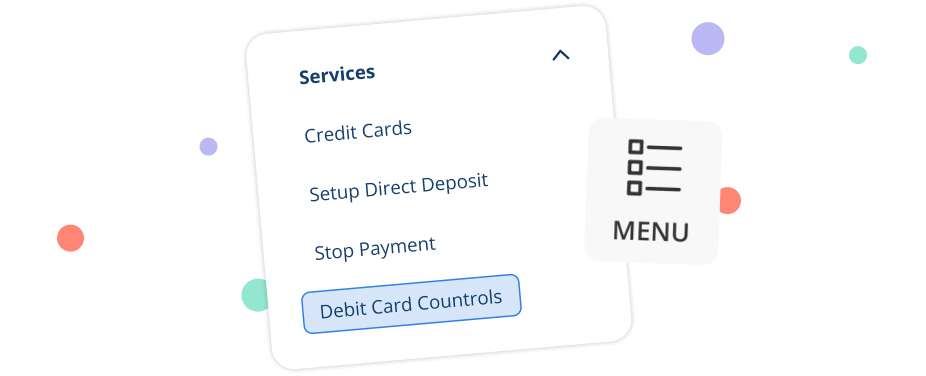
Once you're logged in to CU1 Digital Banking. Select “Menu”, then Navigate to “Services” and tap “Debit Card Controls” under the main Digital Banking menu.

Step 2 View Your Digital Card

Scroll down until you locate the “Card Details” section and select “View Digital Card”. The blue debit card at the top of the screen that says “Activate Now” cannot be activated until you receive your physical card. You can only access your funds through the temporary digital card until you receive your physical debit card in the mail.

Step 3 Verify Your Identity with a Secure Access Code

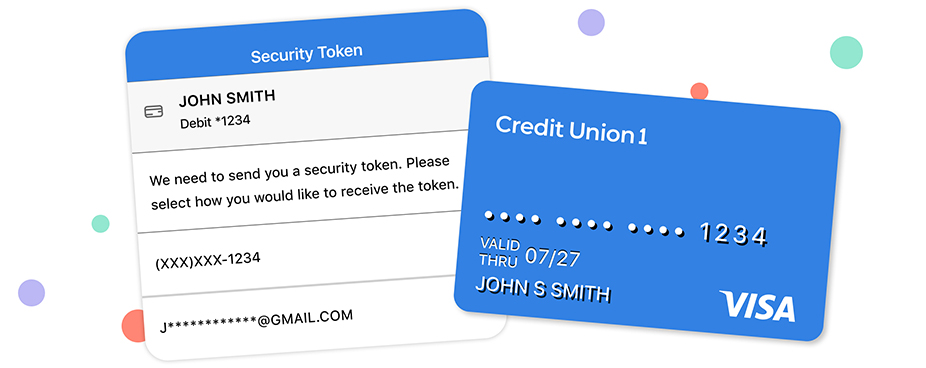
To view your temporary digital card, you will receive an Secure Access Code via text or email. Once the correct code is entered, click “Next” then the Digital Card will appear and remain visible for 2 minutes.

You can easily access your temporary card number, expiration date, and security code on this screen. Use it to shop online or add it to your Digital Wallet to make in-person purchases while you wait for your physical card.

Step 4 Set a Pin on Your Temporary Digital Card

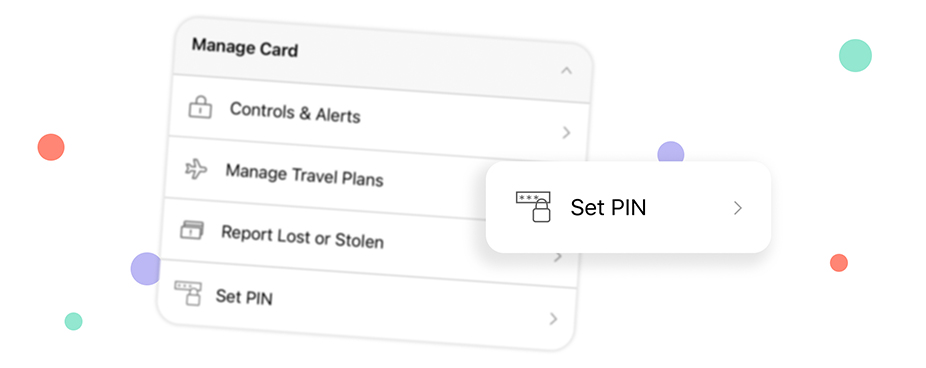
To properly use your temporary CU1 digital debit card, you will need to set a PIN. Under the “Debit Card Controls” main Digital Banking menu, scroll until you locate the “Manage Cards” section and select the “Set PIN” tab.

Members will receive a Secure Access Code via text. Once the correct code is entered, tap "Next," enter your new PIN twice, and tap "Submit."

Log In

Add Temporary Digital Card to Your Digital Wallet

You can use your temporary digital debit card to pay with your phone when you add it to your Digital Wallet and use Apple Pay, Google Pay, or Samsung Pay.

Once you receive your physical CU1 Debit Card, you will need to set that card up in Digital Wallet, as your temporary card will be deactivated for security purposes.

Get Started

Download the CU1 Mobile Banking App

Credit Union 1's highly rated mobile app gives you easy access to your accounts, directly from your phone or other mobile device. With the CU1 Mobile App, you can:

  • Turn your card on and off with Debit Card Controls
  • Set real-time alerts, monitor your spending, and set travel notifications
  • Check your balance without logging in with CU1 Quick Balance
  • Deposit checks quickly, without stopping by an ATM or branch
  • And more

Download the App

app store icon   google play icon

4.45 stars

4.45 1,270 Ratings

Better Everyday Banking with Credit Union 1

Free Checking¹

Our standard checking account, made for members who want to bank anytime, anywhere without hidden fees.

Open an Account Learn More

High Yield Checking²

A checking account that rewards you for everyday banking. Build your balance by earning competitive dividends when you make qualifying transactions each month.

Open an Account Learn More

Second Chance Checking

An account designed to help you make a financial comeback. Start building a brighter financial future one transaction at a time.

Open an Account Learn More
CU1 Cares icon

Credit Union 1 is celebrating 67 years of helping individuals, families and communities reach their financial goals. Learn More

You are leaving Credit Union 1

You are leaving creditunion1.org and entering a website that Credit Union 1 does not control. Credit Union 1 has provided this link for your convenience, but does not endorse and is not responsible for the content, links, privacy policy, or security policy of or the propriety of any information on this website. Do you want to proceed?

Yes No